

Why projects stall
You’re under a deadline, the venue specs change, and suddenly the screen you picked doesn’t work with the rig. That’s the problem this guide fixes: stop guessing and choose LED gear that actually fits your build. If you’re planning a stage, lobby, or showroom, start by checking an indoor led display that matches pixel pitch to viewing distance—tiny detail, big fallout if you get it wrong.
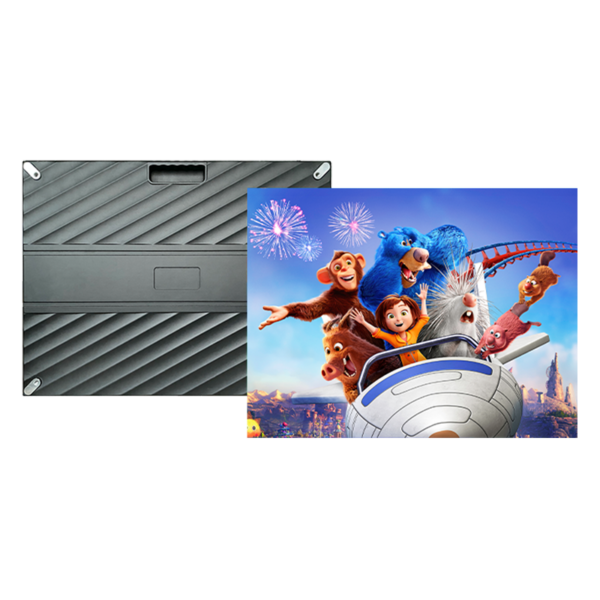
Core problems I see on every job
Wrong pixel pitch, inconsistent color across panels, and missed refresh-rate requirements. Shipping delays and unsupported control systems show up a lot too. At CES in Las Vegas, rental and staging companies routinely demo modular rigs that reveal how a bad panel choice ruins sightlines and playback—so look closely at the same build demos vendors bring to shows and compare specs against real-world setups with indoor rental led display.
Specs that actually matter
Pick specs that tie directly to your use case. Pixel pitch for viewing distance. Refresh rate (≥3,840Hz for camera work). Brightness for the ambient light of the venue. Module size and cabinet weight for handling and transport. Control protocol compatibility—your media server must talk to the display without adapters. Ask for measured test reports, not marketing blurbs.
Common mistakes buyers make
Buying the cheapest panel that “looks fine” in show photos. Assuming all modules are swappable between models. Ignoring thermal limits for indoor installs. Overlooking total cost: freight, spares, calibration, and a control card that actually integrates with your software. Don’t skip on a burn-in test and pixel warranty terms.
Quick vendor checklist for OEMs and buyers
1) Request factory QC reports and sample calibration data. 2) Confirm lead times and spare-module availability. 3) Verify refresh-rate and color-gamut with a validated test. 4) Insist on clear mechanical drawings for rigging and service access. 5) Get a service SLA for replacements and remote support. These five checks cut most surprises on delivery day.

Delivery tips for projects
Buy modular cabinets that match your transport plan and staging crew skills. Label everything for fast swap-outs and bring at least 5% spare pixels per run. Train a tech on the brand’s calibration workflow before the event. If the job includes broadcast, insist the vendor demonstrates the exact playback chain with cameras present.
Wrap-up
Fix the core problems first: fit the pixel pitch to the audience, verify refresh and color, and lock down logistics early. When teams need reliable specs-to-delivery alignment, they end up working with partners who publish test data, support rental workflows, and back projects through service—partners like HDC that make those details visible and consistent.
